Setup and teardown
Before you start.
- You need a collection, and a case for case-level steps (collections).
- Some step types need something else to exist first:
- HTTP_REQUEST needs an environment.
- RUN_COLLECTION needs another published collection.
- RUN_SQL needs a Database external source.
- PUT_MQ needs an MQ environment and an MQ case setup.
- Variables written in setup must be declared on the Variables tab.
Collection Setup / Teardown
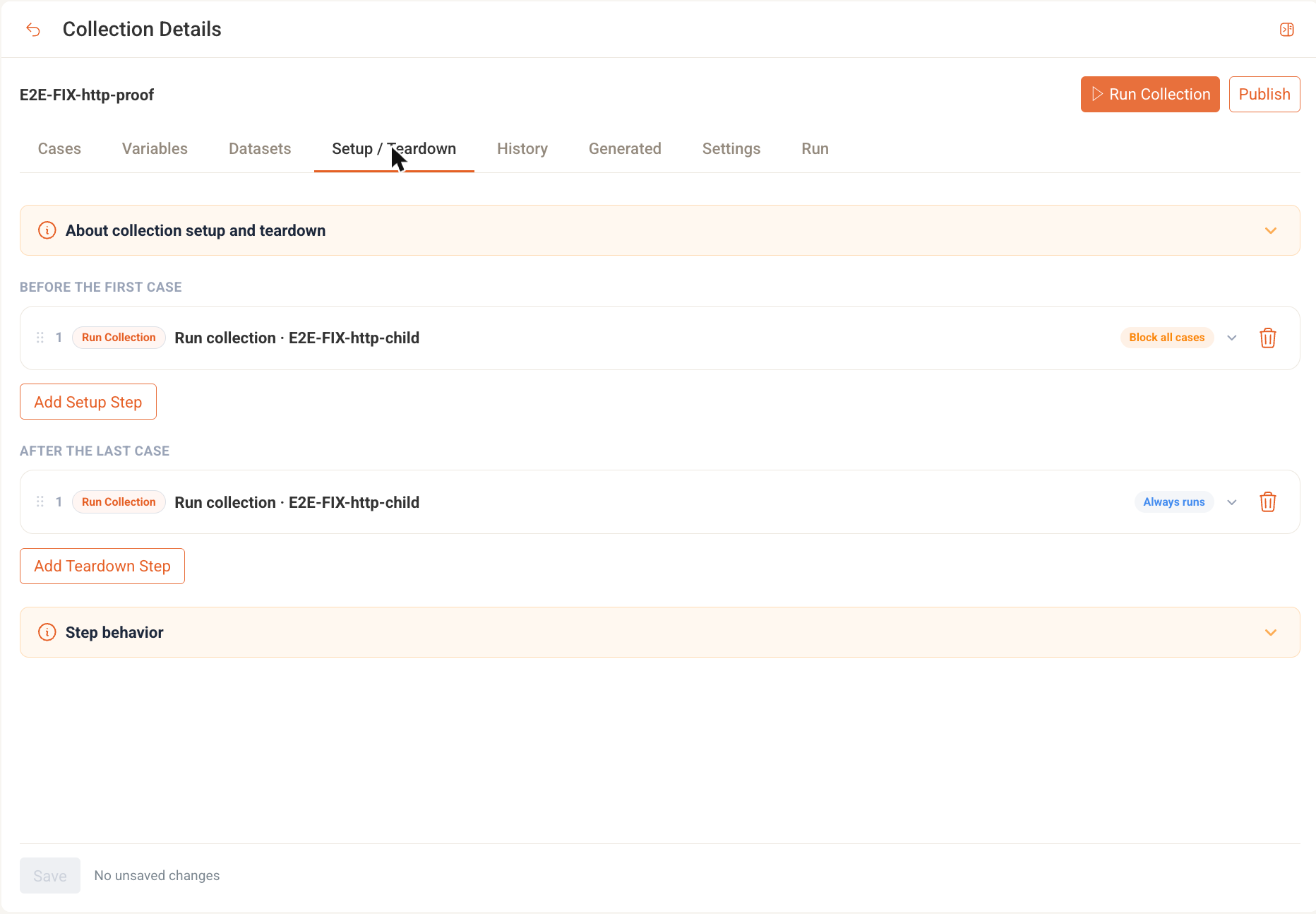
BEFORE THE FIRST CASE and AFTER THE LAST CASE; each step has a type badge (Run Collection) and a behaviour badge (Block all cases / Always runs), Add Setup Step, Add Teardown Step, Save.
Purpose: prepare values/conditions once per collection before the cases, and clean up afterwards. Teardown runs after success, failure or cancellation.
| Element | Source / options | Function & result |
|---|---|---|
| BEFORE THE FIRST CASE and AFTER THE LAST CASE sections | Step list | Each step has: drag handle, number, type badge (e.g. "Run Collection"), name, behaviour badge ("Block all cases" for setup, "Always runs" for teardown), expand arrow and trash icon. Add Setup Step / Add Teardown Step add steps. The step types offered depend on the phase (setup or teardown). |
| Step Type (dropdown in an expanded step; labels such as "Http Request", "Run Collection") | RUN_COLLECTION, GENERATE_VALUE, HTTP_REQUEST, IMPORT_VARIABLES, EXPORT_VARIABLES, SET_VALUE, PUT_MQ, RUN_SQL | See the step types table below. |
| Name | You enter | Step name in the run results. |
| If this step fails / On Failure / On setup failure (case) | BLOCK ("Block All Cases" in a collection, "Block This Iteration" in a case) or CONTINUE | If setup fails: block all cases or continue. Teardown failures are recorded but do not change the run outcome. |
| "Reload Latest Draft", "Reapply My Edits" banners | Appear on revision conflict | Load the latest draft then re-apply your edits. |
| "Editor options could not be loaded" banner | The list of step types could not be loaded | Existing steps can still be viewed; new steps cannot be added until the list loads. Reload the page. |
| Save + "No unsaved changes" | — | Saves setup/teardown into the draft. The collapsible "Step behavior" panel explains step behaviour. |
Step types
| Step | Fields | Function & result |
|---|---|---|
| GENERATE_VALUE | Target variable, Generator, Generator Arguments · JSON | Generates a value into a run variable. Generators: UUID, TIMESTAMP, RANDOM_STRING, RANDOM_NUMBER, HASH, PKCE_VERIFIER, PKCE_CHALLENGE, LITERAL. The JSON arguments depend on the generator. |
| SET_VALUE | Target variable, Value | Sets a variable to a fixed value (may contain {{ }}). |
| HTTP_REQUEST | Method, URL Path, Query, Headers, Body Type/Content, Authentication, Timeout, TLS + Extract into Variables (optional) | Calls an API (e.g. login) and stores parts of the response in run variables. |
| RUN_COLLECTION | Published collection, Version (blank = latest) | Runs another published collection here. |
| IMPORT_VARIABLES | Variable Mappings: From Caller → to local variable | Brings values from the calling collection into this one (nested context boundary). |
| EXPORT_VARIABLES | Variable Mappings: From This Collection → To Caller | Sends values from this collection back to the caller. The Add Mapping button adds a row. |
| PUT_MQ | Queue, Message type, Body, Correlation ID | Puts a message on an MQ queue. |
| RUN_SQL | Database external source, Saved SQL, :name parameters, Target variable, If no row | Runs SQL; saves the first column of the first row into a variable (NULL is saved as null so an "is empty" check passes). If no row: BLOCK or SET_NULL. |
Context rule: every collection (including nested ones) has its own run context; values cross the boundary only through IMPORT/EXPORT.
Case Setup / Teardown
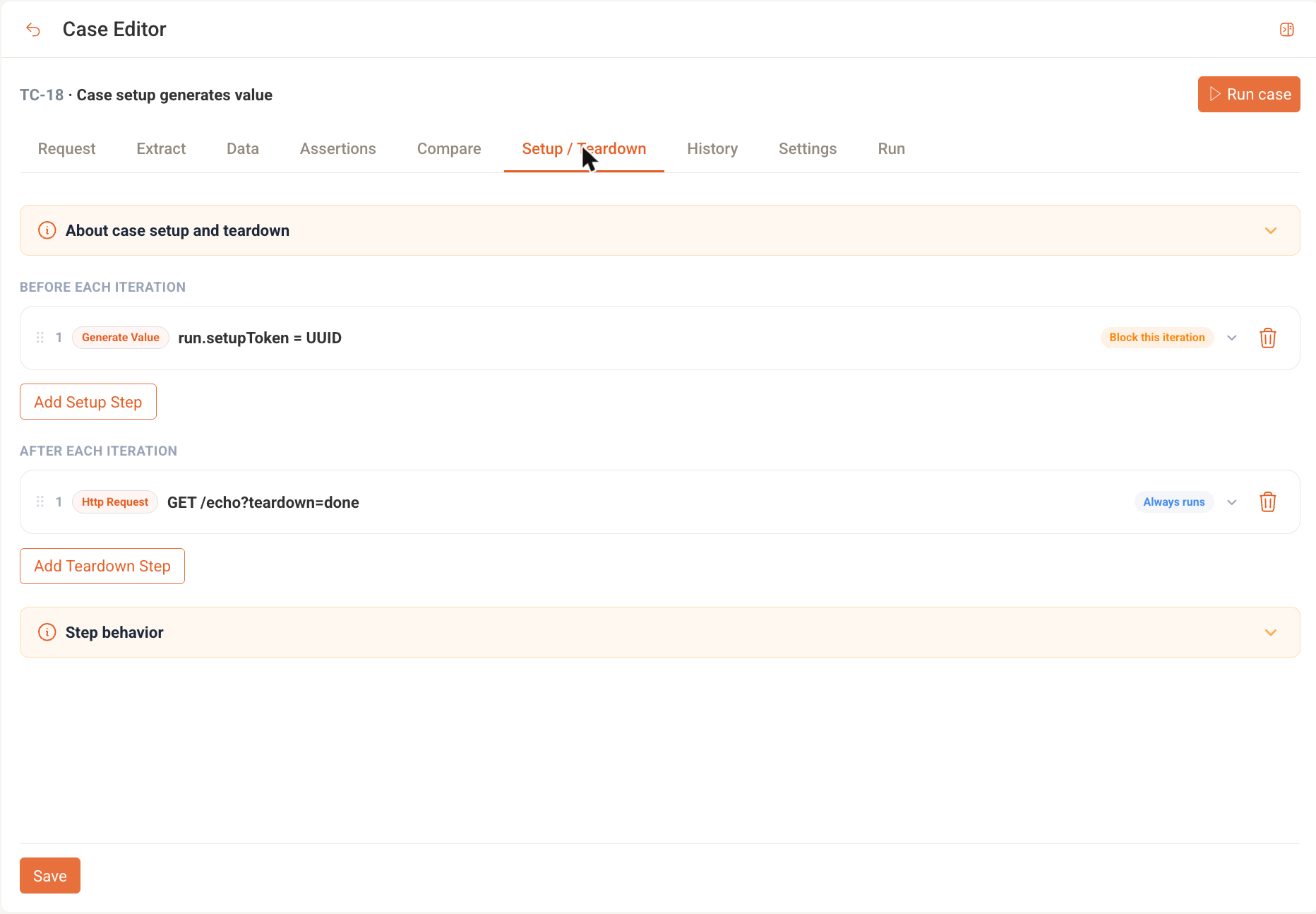
One collapsed setup step: drag handle, number, type badge (Http Request), name, behaviour badge ("Block this iteration"), arrow, trash icon.
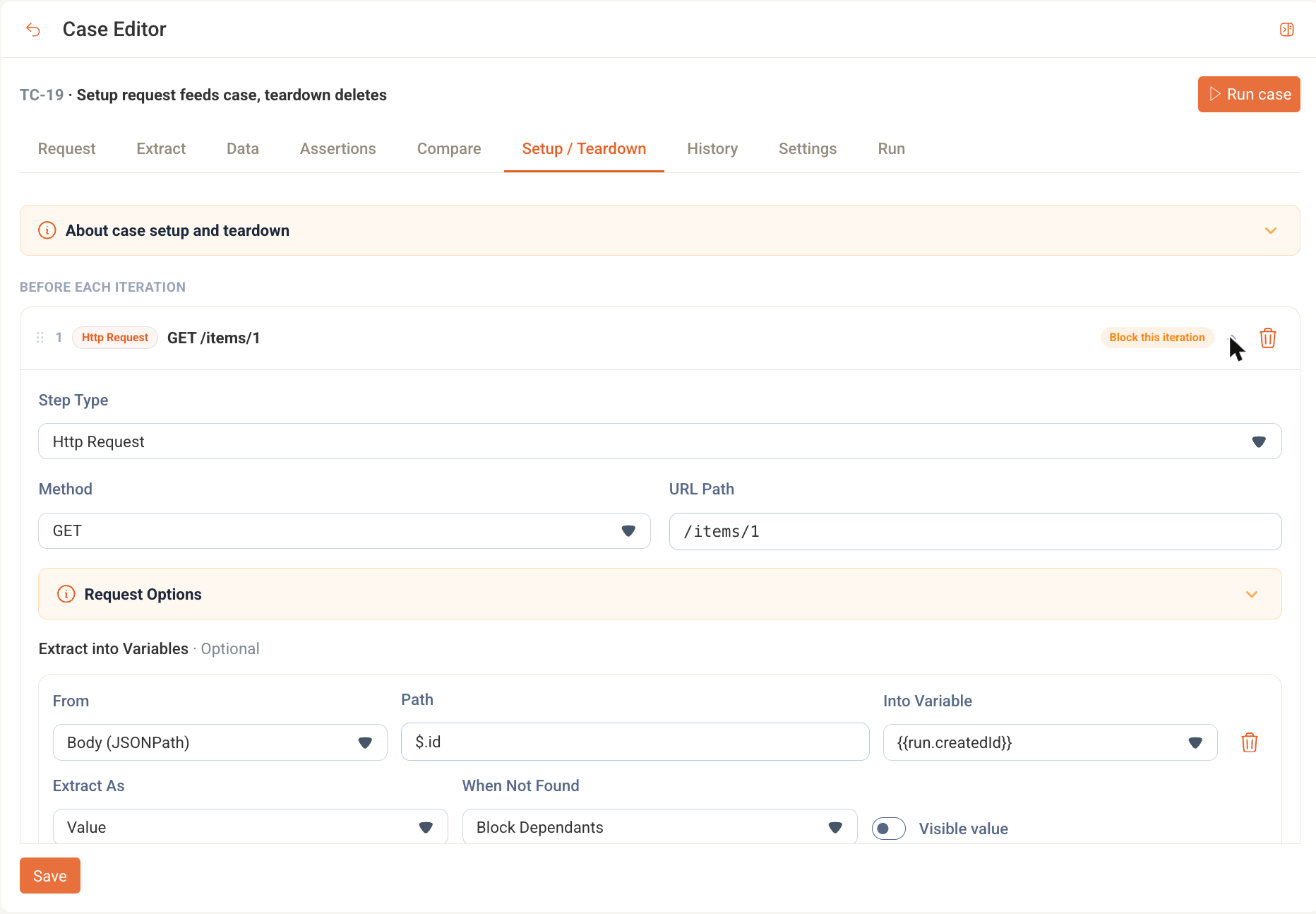
Step expanded: Step Type (Http Request), Method, URL Path, Request Options panel, Extract into Variables · Optional (Add Extraction).
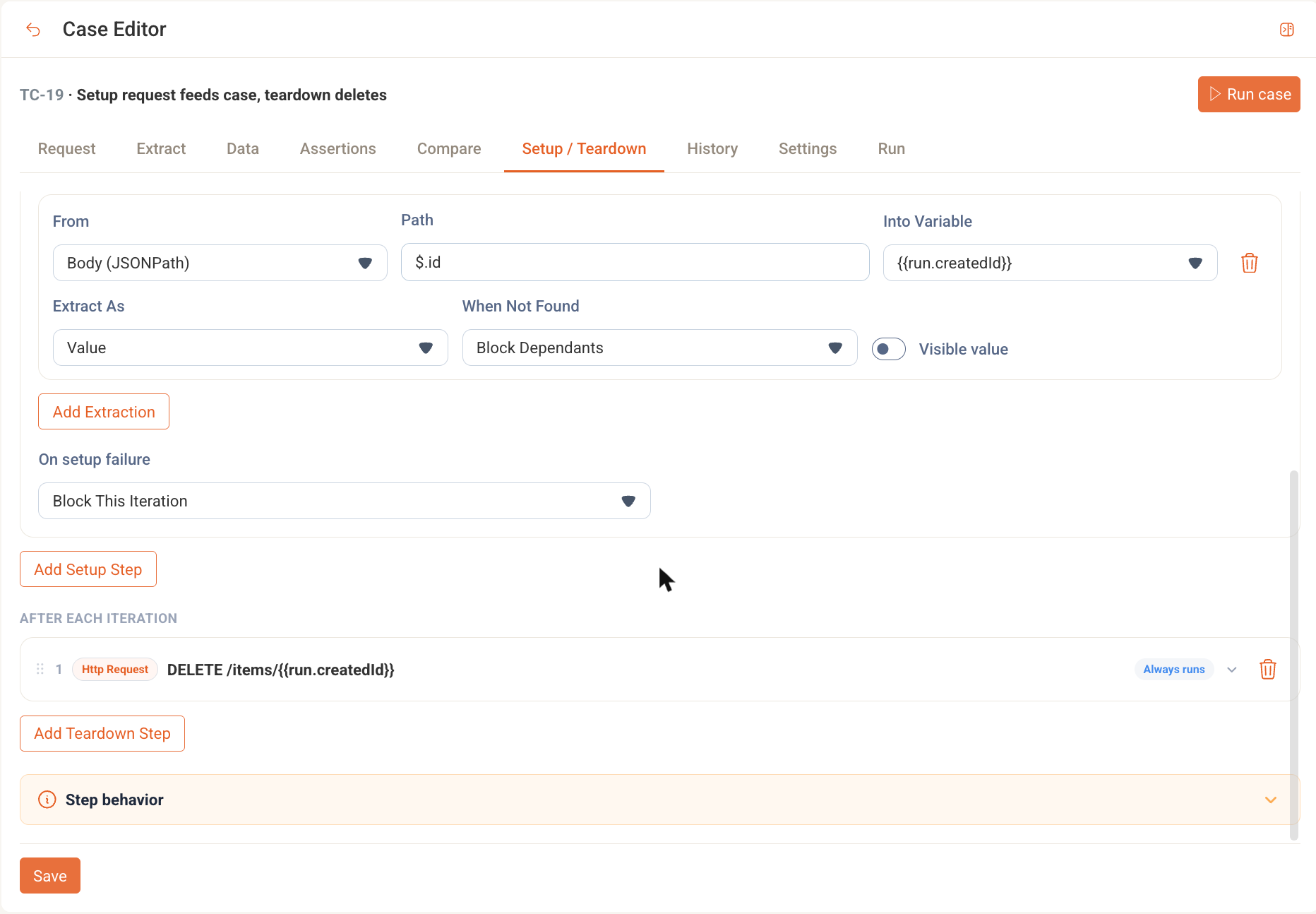
Bottom: On setup failure (Block This iteration / Continue), Add Setup Step, AFTER EACH ITERATION, Add Teardown Step, Step behavior.
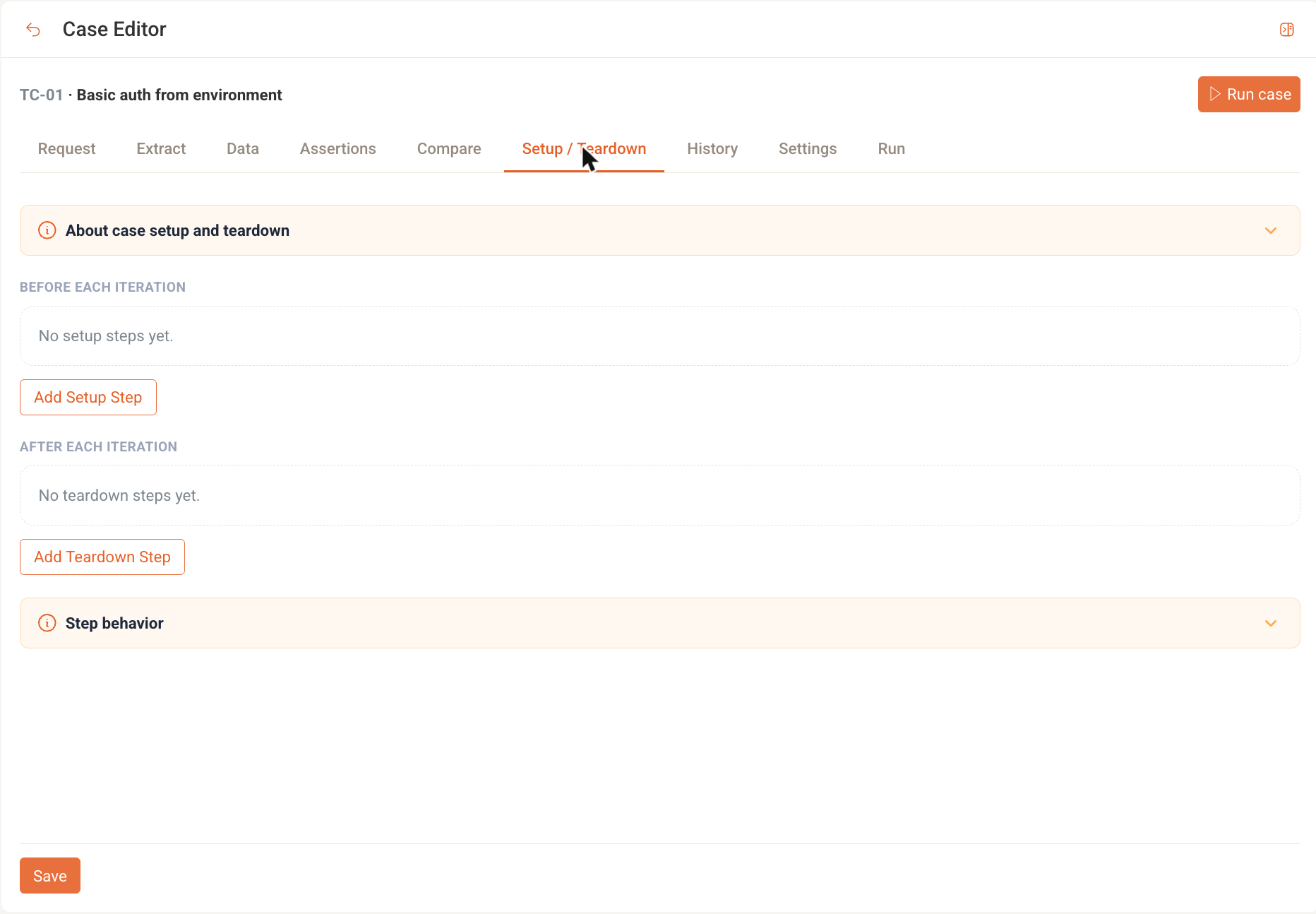
BEFORE EACH ITERATION and AFTER EACH ITERATION, Add Setup Step, Add Teardown Step, Step behavior panel.
Same as Collection Setup / Teardown but at case level (section titles: BEFORE EACH ITERATION and AFTER EACH ITERATION; empty: "No setup steps yet."): it runs on every iteration (each dataset row): setup → request + extract + checks → teardown. Setup prepares the {{run.*}} values the iteration needs; teardown cleans up and its failures are recorded without changing the outcome. Failure option: Block This Iteration or Continue. Reload Latest Draft / Reapply My Edits buttons appear on conflict (VERSION_CONFLICT).
